SwissPython
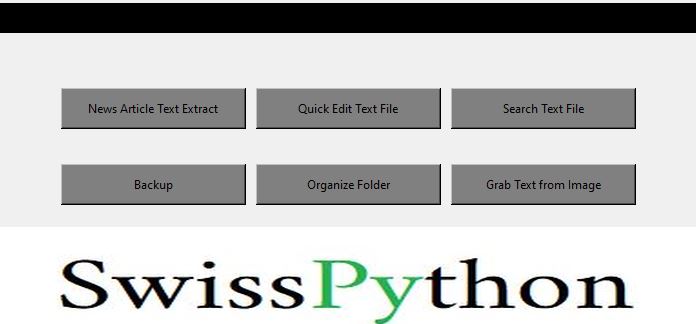
SwissPython is a program that provides six useful tools for all your file-processing needs. This was my first major project when starting to learn python and consists of over a 1000 lines of code. I have tweaked it here and there but as my experience grows I now focus on newer projects and wish to leave this one as is. The download file is a zipped up folder of the single executable, license files, and the image used for the logo.
The Image-text extraction functionality only works if you have a Tesseract OCR folder in the same directory as the SwissPython executable, but it is not included in the zipped download file to save on space + you would want the most updated version of it.
You can find it here: https://github.com/tesseract-ocr/tesseract
If you don't have it, running it will show a "Completed" message, but nothing in actually has occurred. That will be left as is.
These are the six tools included:
-
News Article Extract - A website content extractor. Only works on Huffingtonpost articles at the moment
Quick Edit Text Files - Delete strings from text files without having to manually go through every line. Example: Remove all spaces
Search Text File - Scan all files in a folder for specific words or characters and if those things are found then the file will be copied to a newly created folder. Quickly find all files that mention a specific subject!
Backup - Create a backup of any folder ( yes this is literally the same as copy/pasting but I chose to learn how to do it programmatically)
Organize Folder - Organize a folder into sub-folders and move all files into the correct category (Text, Image, Video, Other)
Grab Text from Image - Uses Tesseract OCR to extract text from images